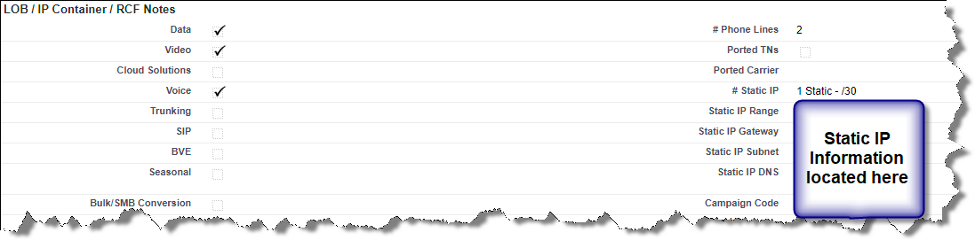
Within C3, you are able to get static IP and telephone numbers for your customers. From a Workbench Quote, go to the Order section and click on the order associated with the Workbench Quote. Scroll down to the ‘LOB / IP Container / RCF Notes’ section of the order and you will see static IP information for your customer’s location. The following information is available: # Static IP, Static IP Range, Static IP Gateway, Static IP Subnet, and Static IP DNS. This section will also tell you if any phone numbers were ported and how many as well as the total number of phone lines for the customer.
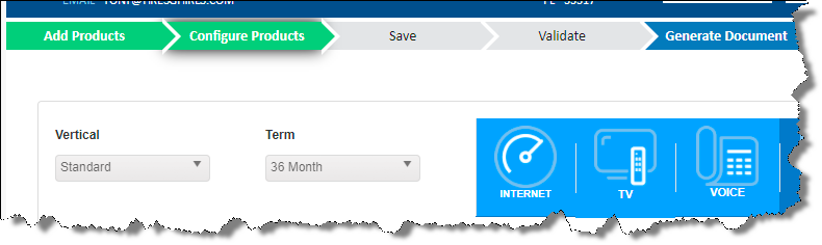
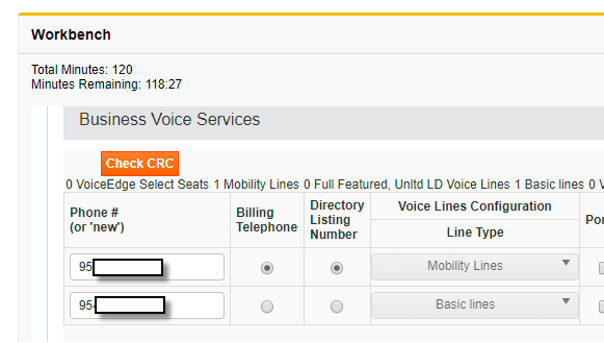
To view the customer’s actual phone numbers, click on the Bundle Builder button at the top of the screen. From Bundle Builder, click on the Configure Products chevron and then scroll down to Voice Services. Click here to download the complete job aid.
Static IP Information
Telephone # Information