


A recent enhancement to the Prequalification page will now allow you to check for connectivity options that are available at a specific location. As seen in Figure 1, Connectivity fields have been added to the Salability Results section specifically to determine connectivity as speeds begin to upgrade across the Comcast Business footprint. The potential values that you will find in the Connectivity field will be 1 GIG Enabled, SIK (Self Install Kit) Qualified, Not Qualified for SIK & Next Gen Speed Capable. These values will help with determining which Business Internet Services are currently available at a location and you will no longer have to rely on internal support teams to assess connectivity.
Figure 1
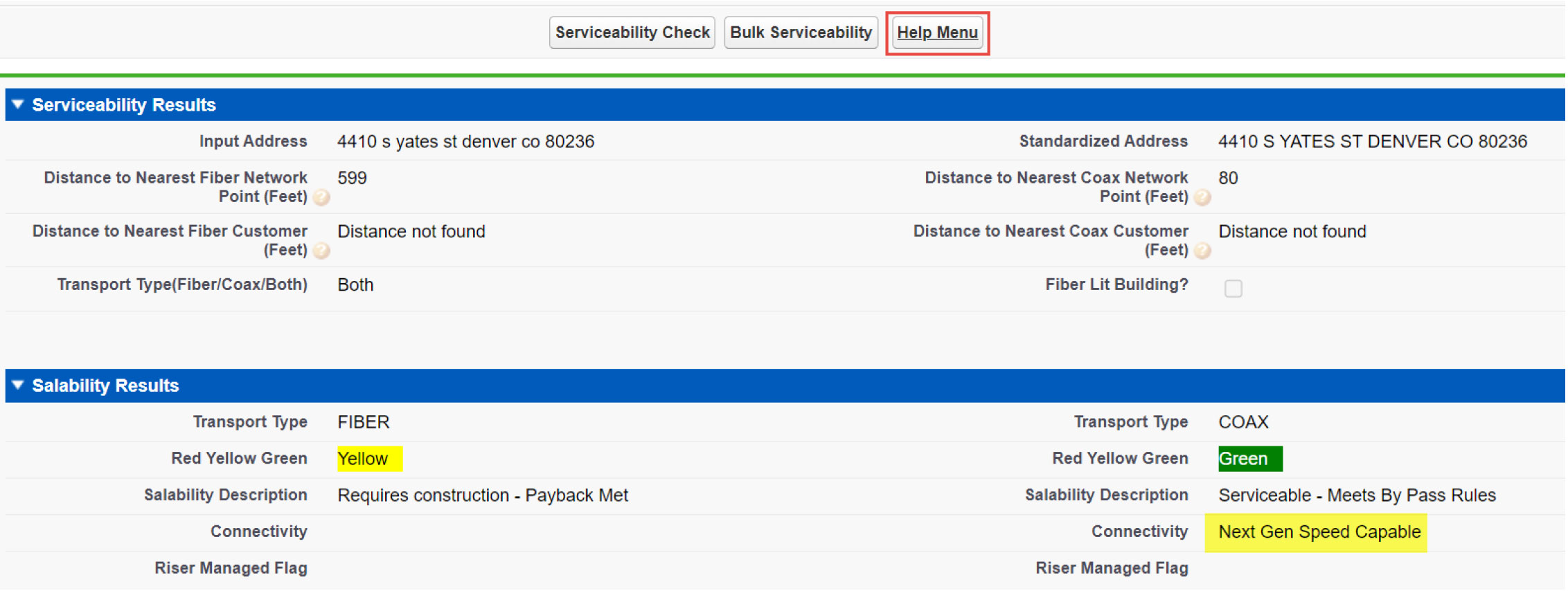 |
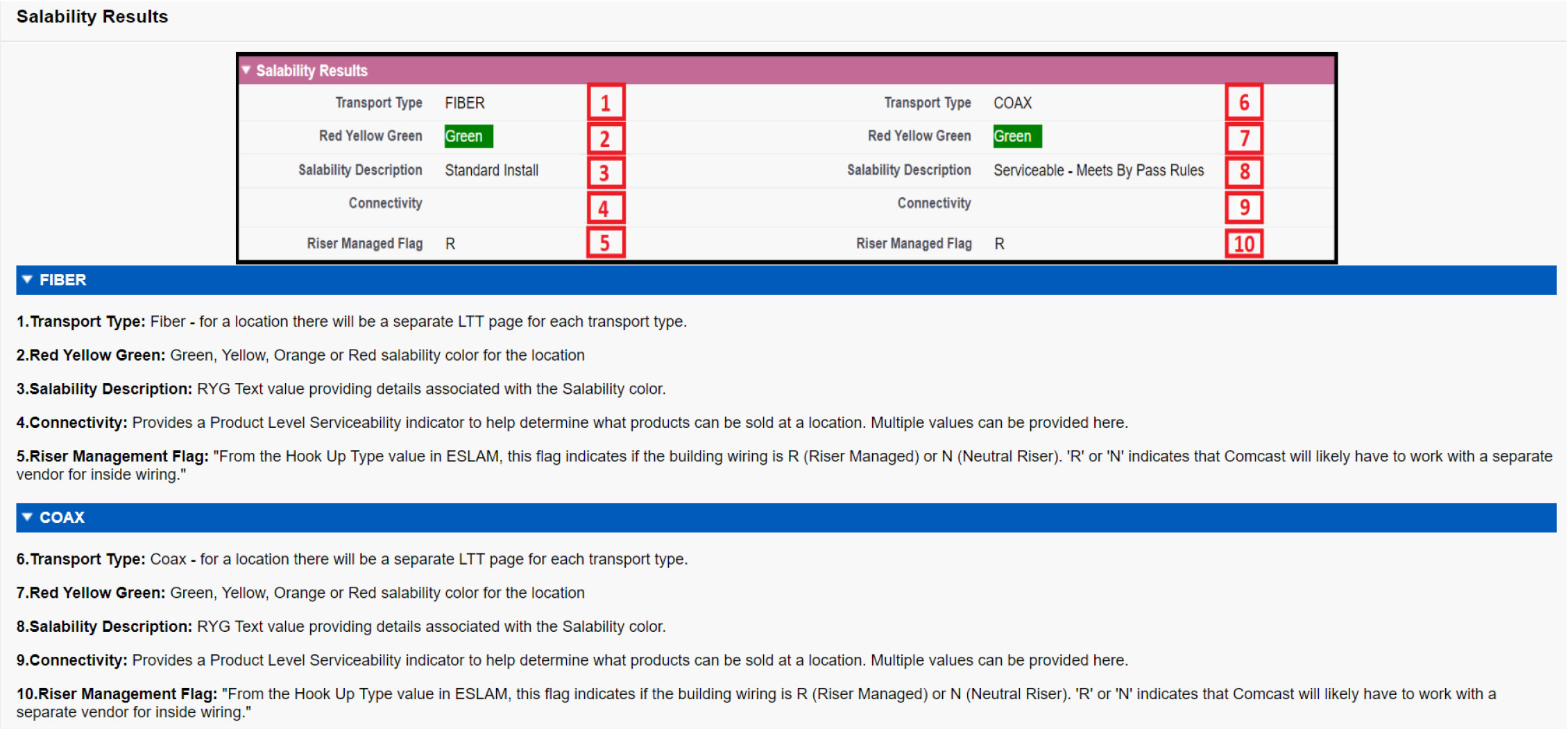
Note: If you need assistance with interpreting Prequalification results and understanding what is displayed, you can now click the Help Menu button after running a Serviceability Check for an address. This will open another tab and provide you with a brief description of the Serviceability Results (Figure 2) & Salability Request (Figure 3).
Figure 2
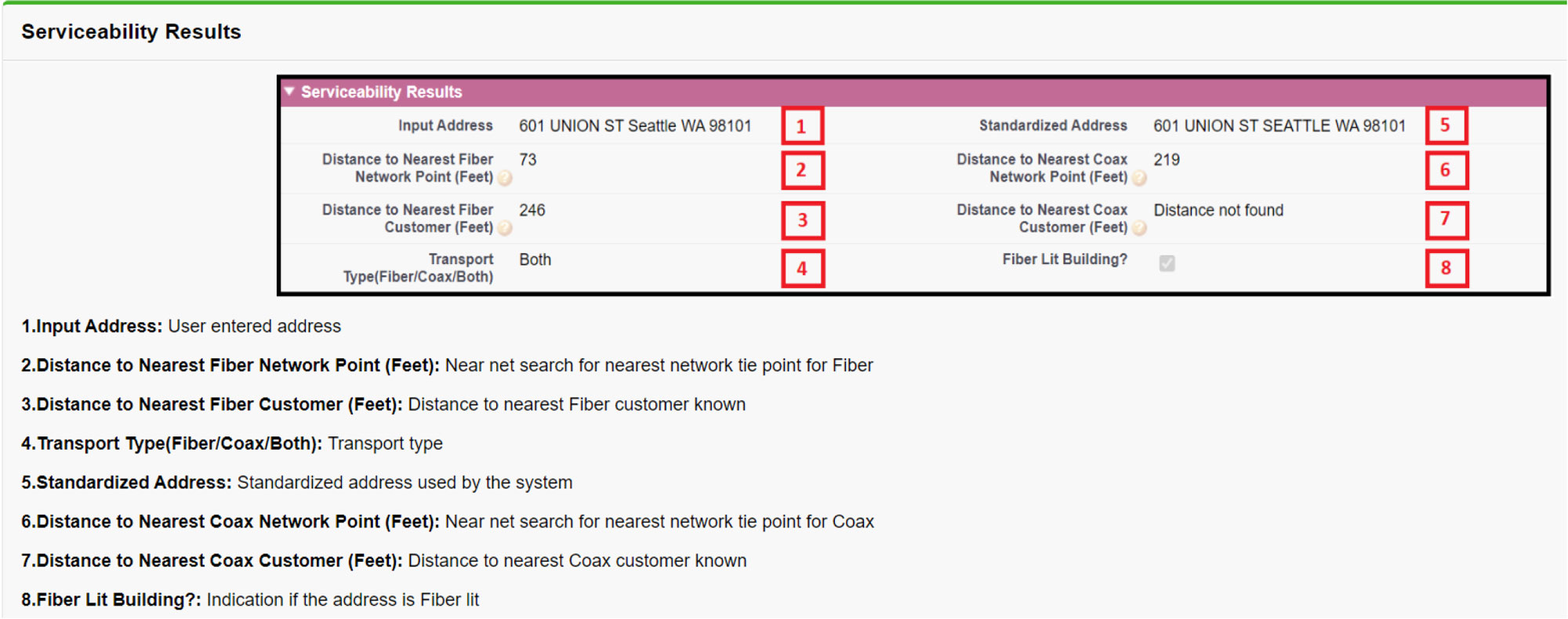 |
Figure 3
 |
| < |

