


As you know, your password for the Comcast Control Center (C3) must be reset annually. To help you prepare for that change, an email notification will be sent to you prior to the required reset date. The email notification shown below will be sent to Business Partners 14-days, 7-days, 5-days, 3-days, 2-days, and 1-day before their password expires. The notifications will stop after the password is changed.
To reset your password or unlock your Account you can navigate to the Microsoft’s Self-Service Password Reset Portal (SSPR), the process is outlined below.

Microsoft’s Self Service Password Reset Portal (SSPR) Process:
- Enter Your Username
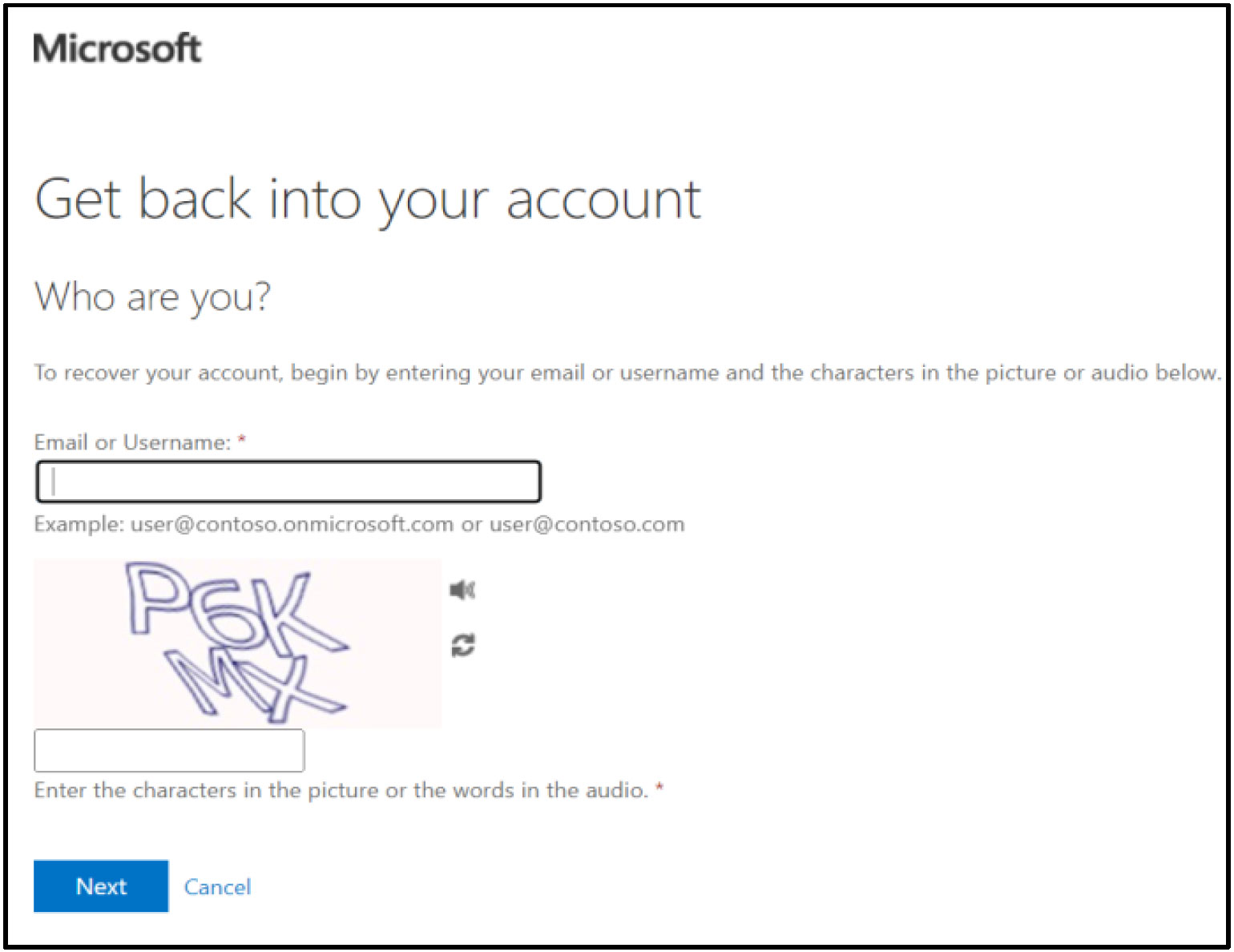
Enter your bp-id@cable.comcast.com for the Email or Username field, enter the characters from the captcha and then click the Next button.
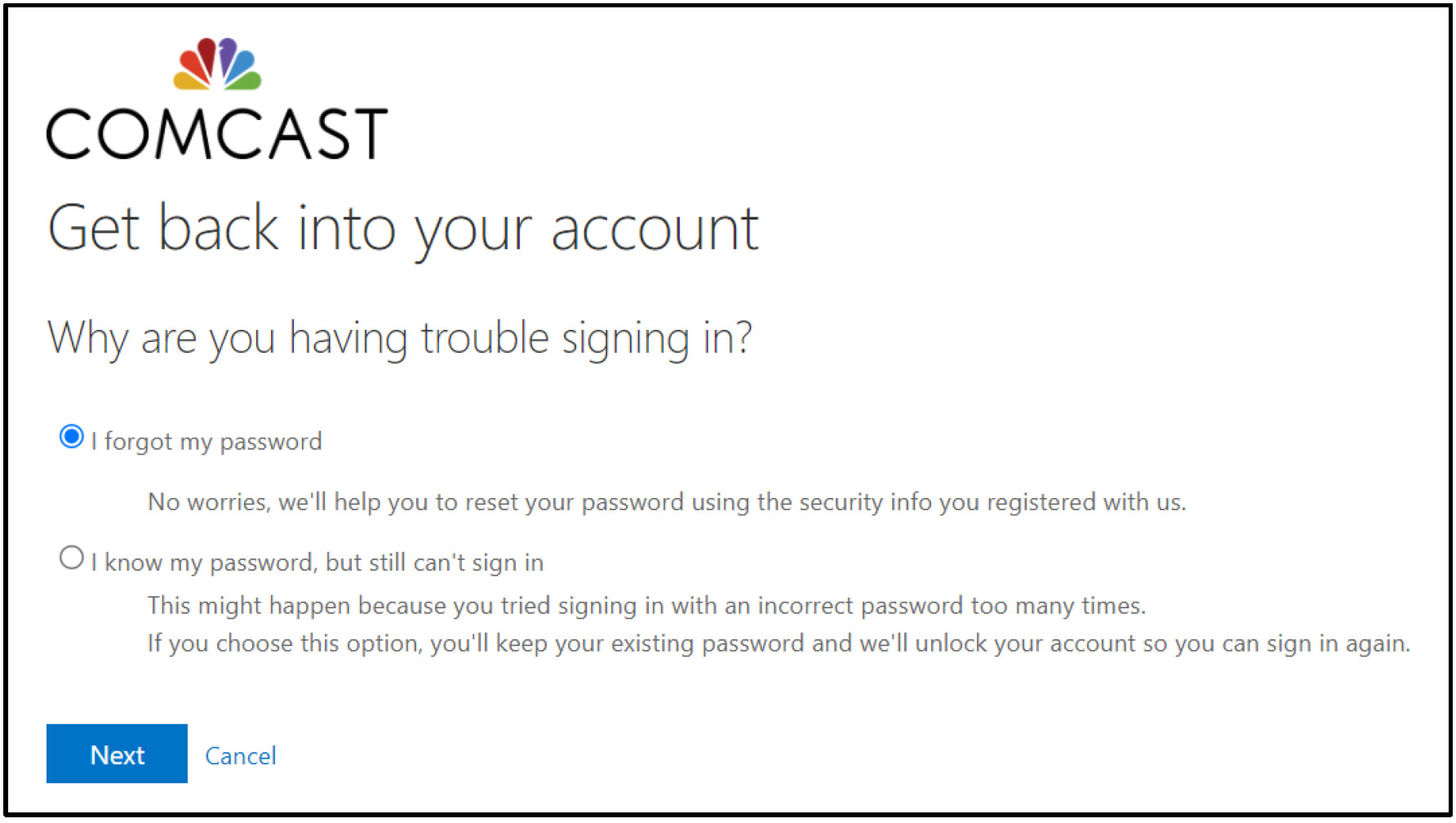
- Why are you having trouble signing in?
Select the appropriate radio button as to why you are having trouble logging in and then click the Next button to progress to Account Verification.
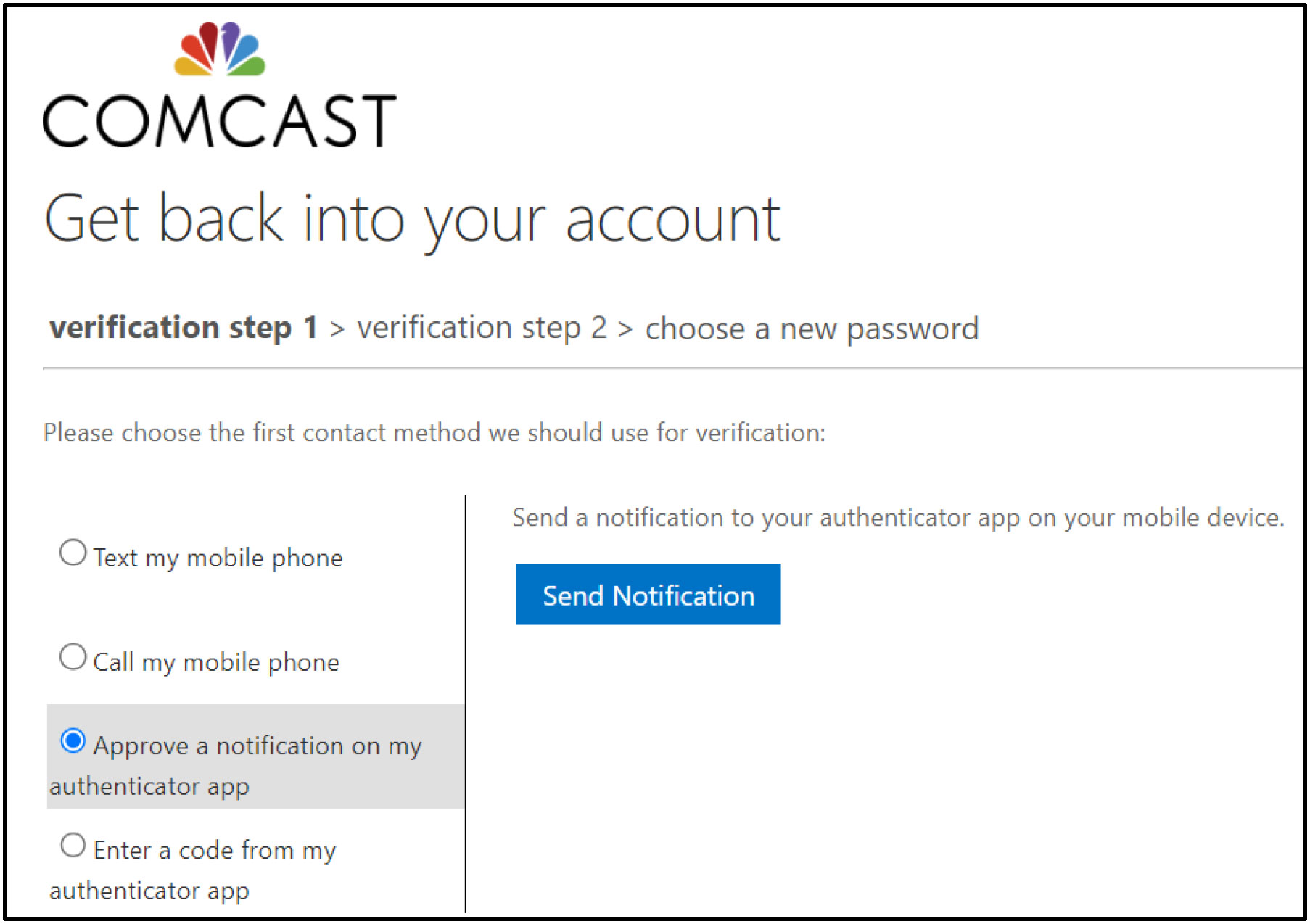
- Authenticate Your Account
Choose the contact method that you would like to use for Account Verification:
• Mobile Phone
• Authenticator AppNote: The mobile phone or authenticator app indicated at this step was initially configured during Account setup process for Multi-Factor Authentication (MFA).
- Choose a New Password
After your Account has been verified you can choose a new password and then click Finish to finalize resetting your password to regain access.

Your new password must conform to the requirements shown below. If for some reason you are unable to reset your password or are having some other type of password/access related issue, please send an email to James Kothenbeutel, Cecil Gonzalez, Matt Trujillo, and Greg Trent.

Complexity Requirements:
- Passwords must not contain the user’s entire Account Name (i.e. BP ID) value or entire Full Name value. Both checks are not case sensitive.
- Effective June 2, 2021, Comcast account passwords by BPs must now contain at least 16 characters.
- Other types of complexity (e.g., including numbers, combination of upper/lower case or special characters in your password) are no longer required.
- May not use any of the last eight passwords.

